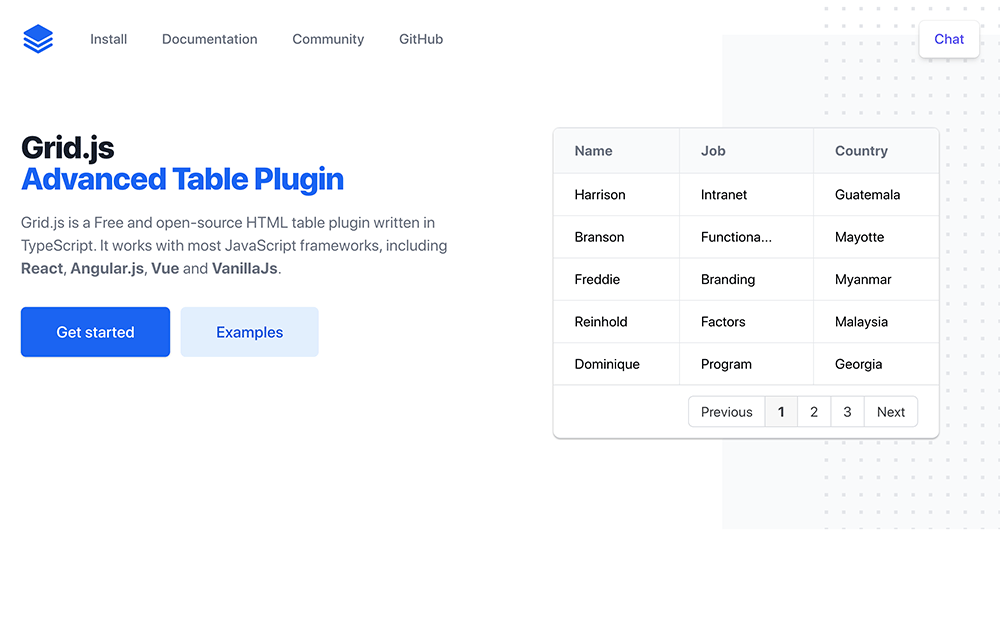
Grid.jsとは
Grid.jsとは誰でも無料で簡単に使用できるHTMLテーブルJavaScriptライブラリ。
9KBと超軽量でソート、検索、ページネーションなどがオプションでtrueを指定するだけで簡単に追加できる。
npm i gridjsでもインストールできるのでVueやReactにも追加しやすい。
基本的な表を表示するだけなら以下のコードのようにGrid.jsのCSSとJavaScriptを読み込んで、配列データを入れて表示場所を指定するだけで表示可能だ。
<html>
<link href="https://unpkg.com/gridjs/dist/theme/mermaid.min.css" rel="stylesheet" />
<div id="result"></div>
<script src="https://unpkg.com/gridjs/dist/gridjs.development.js"></script>
<script>
new gridjs.Grid({
  columns: ['ID', 'Name', 'Email'],
  data: [
    [1, 'John', 'john@example.com'],
    [2, 'Mark', 'mark@gmail.com'],
    [3, 'Eoin', 'eoin@gmail.com']
  ]
}).render(document.getElementById('result'));
</script>
</html>
sort: true でソート機能追加
sort: trueを追記するとソート機能を追加できる。
<html>
<link href="https://unpkg.com/gridjs/dist/theme/mermaid.min.css" rel="stylesheet" />
<div id="result"></div>
<script src="https://unpkg.com/gridjs/dist/gridjs.development.js"></script>
<script>
new gridjs.Grid({
  sort: true,
  columns: ['ID', 'Name', 'Email'],
  data: [
    [1, 'John', 'john@example.com'],
    [2, 'Mark', 'mark@gmail.com'],
    [3, 'Eoin', 'eoin@gmail.com']
  ]
}).render(document.getElementById('result'));
</script>
</html>
search: true で検索機能追加
search: trueを追記すると検索機能を追加できる。
<html>
<link href="https://unpkg.com/gridjs/dist/theme/mermaid.min.css" rel="stylesheet" />
<div id="result"></div>
<script src="https://unpkg.com/gridjs/dist/gridjs.development.js"></script>
<script>
new gridjs.Grid({
  search: true,
  columns: ['ID', 'Name', 'Email'],
  data: [
    [1, 'John', 'john@example.com'],
    [2, 'Mark', 'mark@gmail.com'],
    [3, 'Eoin', 'eoin@gmail.com']
  ]
}).render(document.getElementById('result'));
</script>
</html>
pagination: true でページネーション機能
pagination: { limit: 2 }をlimit数と合わせて追加するとページネーション機能を追加できる。
<html>
<link href="https://unpkg.com/gridjs/dist/theme/mermaid.min.css" rel="stylesheet" />
<div id="result"></div>
<script src="https://unpkg.com/gridjs/dist/gridjs.development.js"></script>
<script>
new gridjs.Grid({
  pagination: {
    limit: 2
  },
  columns: ['ID', 'Name', 'Email'],
  data: [
    [1, 'John', 'john@example.com'],
    [2, 'Mark', 'mark@gmail.com'],
    [3, 'Eoin', 'eoin@gmail.com']
  ]
}).render(document.getElementById('result'));
</script>
</html>